Agent-first support · minus the bloat

The support cockpit that works the queue for you.

Queue Board is the agent-first successor to bloated, subscription help desks — a fast, focused command center where tickets triage themselves, the reports write and send themselves, and your team actually keeps up. Built for operations teams that can't afford a dropped ticket.

A modern support platform · Offline-capable · Secure by design

Today's queue
Open
14
Due < 1h
3
Resolved today
27
#4821 Scanner offline at Dock 7asset · HT-2291 SLA 12m
#4820 Replace cracked tablet — Row 14claimed · Jordan In progress
#4818 Password reset — yard terminalclaimed · Sam Triaged
#4815 Docking station RMA receivedasset updated ✓ Resolved
Daily report sent, 6:00 AM. Built and emailed to 4 recipients — automatically. No export, no copy-paste.
In pilot with the operations team at a rail / intermodal company — an operation spanning 100,000+ assets across dozens of service locations.
Automated test suite
Secure by design
Offline-capable
See it in motion

A full shift on Queue Board, in twenty seconds.

The board, a claim, the cockpit, the reports — the whole product, running.

Request a demo
The cockpit

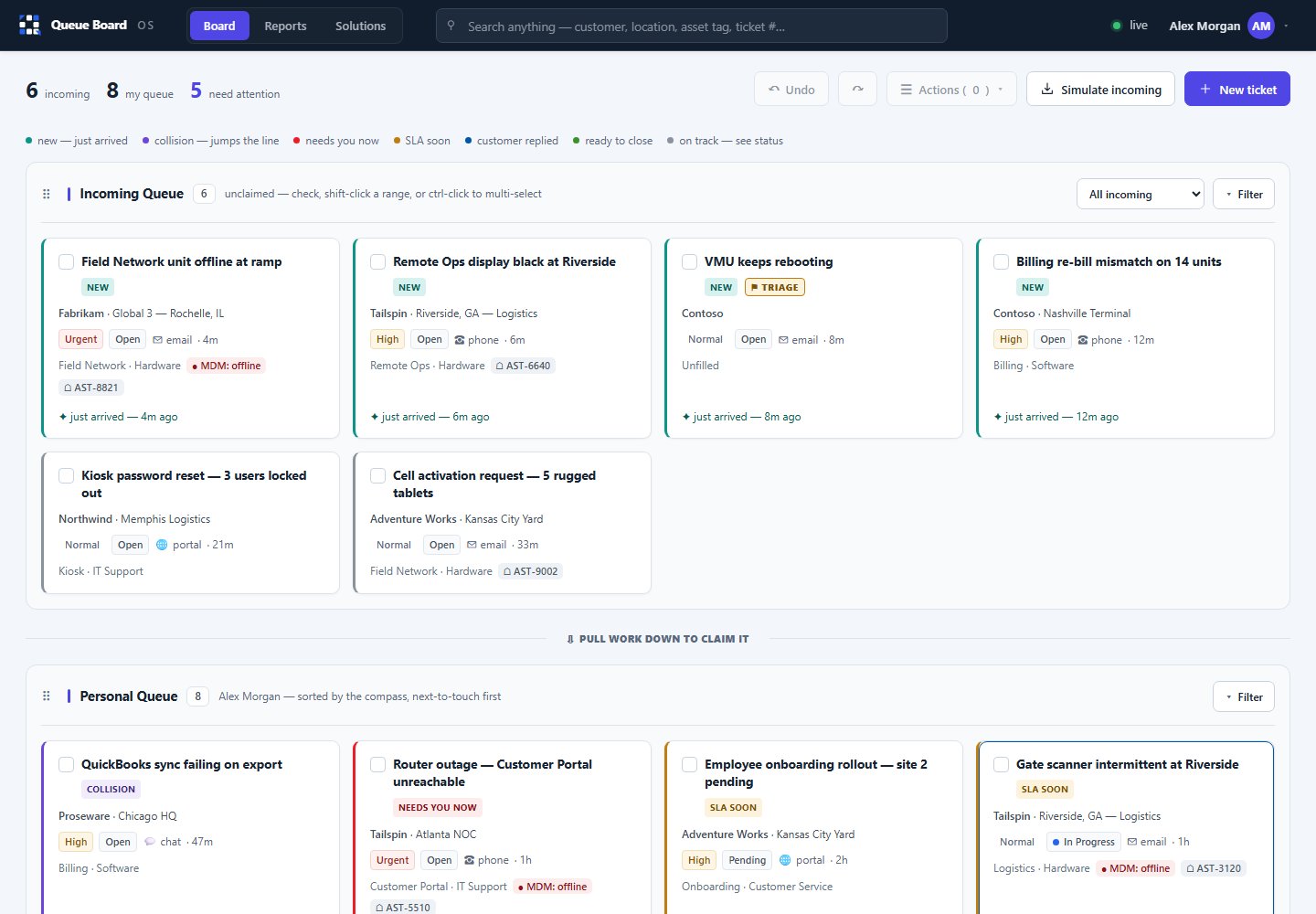
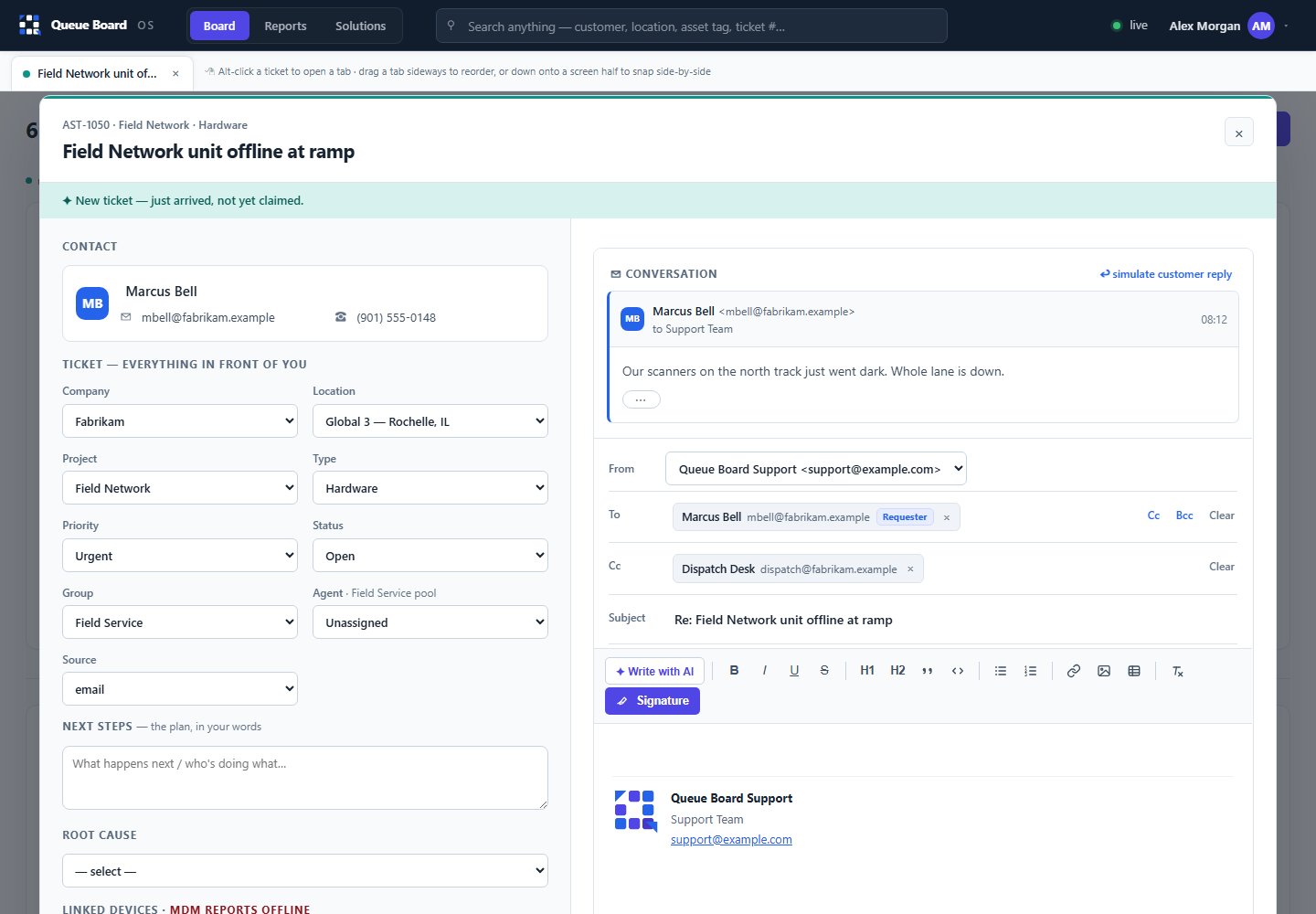
One board. Every ticket. What to do next.

Legacy help desks bury the work under menus and tabs. Queue Board puts the whole queue — status, ownership, and what's due — on one screen your team can actually run all day. Claim, triage, and resolve without clicking through five screens.

Keyboard-fast for people who live in the queue
SLA timers that surface what's about to breach
Claim & hand-off without losing the thread
Queue · Service Centerlive
Unassigned5
Breaching < 1h3
First-response avg7m
Resolved this week184
Scheduled reportautomated
Daily Operations Summary

Every weekday · 6:00 AM · to 4 recipients

Built automatically

Open, resolved, SLA, by location — as a clean attachment

Delivered 6:00 AM. Nobody wrote it. Nobody exported it.
Reports that send themselves

The report nobody wants to write — gone.

Set the schedule and the recipients once. Queue Board builds the report and emails it on your schedule — the daily summary, the weekly rollup, whatever leadership asks for. No Monday-morning export scramble, no copy-paste, no "did anyone send that?"

Pick the day, time, and who gets it
Delivered as a clean, ready-to-forward file
Sends reliably — and tells you if it couldn't
Connected to your world

Tickets that can update your systems — not just an inbox.

A support request shouldn't dead-end in a mailbox. Where a supported integration is configured, Queue Board links a ticket to the assets, devices, and records your team already tracks — so resolving it can update your system of record, and a field form can flow into the queue. Integrations are scoped to your systems during onboarding.

Link tickets to assets, serials, and locations
Turn field forms into tickets automatically
Keep your system of record actually current
Ticket #4815 · linkedsynced
AssetHT-2291
LocationRow 14
ActionRMA · received
System of recordupdated ✓
Security postureby default
Secrets in the browsernever
Outbound networklocked to allow-list
Every releasetested + reviewed
Misconfigurationfails closed
Secure & reliable by default

Built to reduce misconfiguration risk.

Secrets stay server-side, outbound connections are allow-listed, and misconfiguration fails closed rather than leaking. Each release goes through an automated test suite and a security review. The goal: reduce the ways a busy IT team can misconfigure it.

Secrets never touch the browser or logs
An automated test suite gates each release
Offline-capable — loaded tickets stay available, changes sync on reconnect
Why teams switch

Core ticketing for operations teams — without the bloat or the per-seat bill.

The old way

Legacy help desks

  • Per-agent pricing that can climb as you grow
  • Often bloated with features many teams never touch
  • Reporting frequently means a manual export
  • Your data typically lives in their cloud
  • General-purpose — rarely built around operations
Queue Board

The support cockpit

  • Agent-first & fast — the whole queue on one board
  • Reports send themselves — set it once
  • Connects to your systems of record
  • Deploy your way — offline-capable, in your environment
  • Pricing that doesn't punish growth

See Queue Board on your queue.

A short, no-pressure walkthrough on your real workflows — then a pilot if it's a fit.

Questions

Good to know

Can Queue Board replace our current help desk?
Yes. It covers the core job — tickets, queue, SLAs, assignment, and reporting — faster and simpler, without the feature bloat and the per-seat pricing that climbs as your team grows. Teams that live in the queue all day switch for the speed.
Can it connect to our existing systems?
Yes — where a supported integration is configured. Queue Board can link a ticket to the assets, devices, and records you already track, so resolving it can update your system of record rather than just closing an email. We scope the specific integrations with you during onboarding.
How does the automated reporting work?
Choose the report, the schedule, and the recipients once. Queue Board builds it and emails it on your schedule, automatically — daily, weekly, or however leadership wants it — as a clean, ready-to-forward file. If a send ever fails, it tells you rather than failing silently.
Is our data secure?
Security is built into the design: secrets never reach the browser, outbound network access is locked to an allow-list, misconfiguration fails closed, and every release ships behind an automated test suite and a security review. The goal is that a busy or under-resourced IT team can't misconfigure it into a leak.
Can we run it offline or in our own environment?
Previously loaded tickets stay available if the connection drops, supported changes queue locally, and they sync when connectivity returns — so a field tech isn't dead in the water. Queue Board can also be deployed within your environment; we'll cover options in the demo.
What does it cost?
Pricing is scoped to your team — no surprise per-agent bills. Request a demo and we'll put together a straight number for your size and workflows.
Get started

Request your demo.

Tell us about your team and we'll set up a walkthrough on your real workflows — or just ask a question.

Prefer email? hello@queueboard.io